
In the following four screenshots I want to demonstrate how an e-commerce UI can be redesigned for greater usability. Changes like these increase profit margins, conversion rates and lower cost per acquisition, without increasing the ad spent.
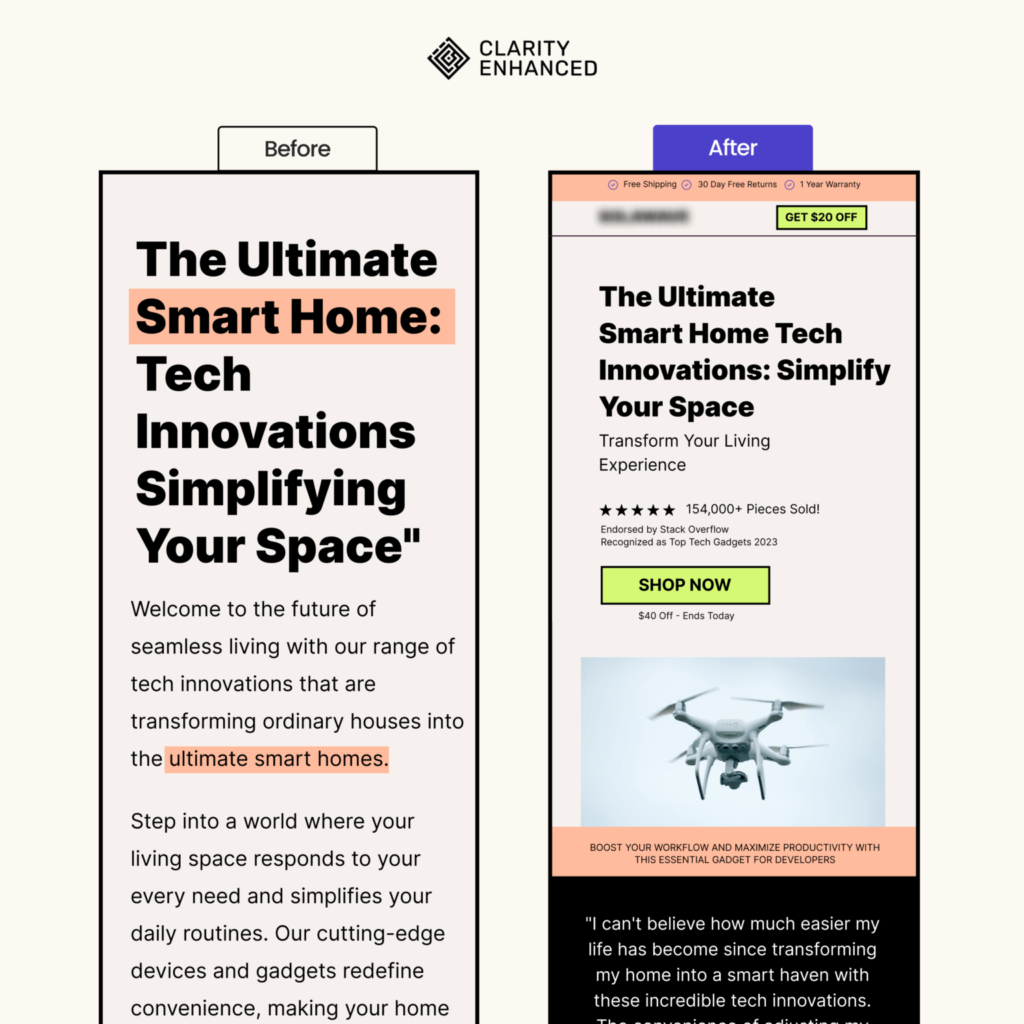
- Added a top header with some sale information.
- Added a logo and a call to action below it, it is a common mental model and pages that lack it seem suspicious.
- Made the main heading much smaller but still readable on mobile devices
- Added a short and concise subheading, with reviews and a call to action that feature a discount.
- Added a related image with a customer testimonial
- The new page is much easier to scan, features sale elements, and has a clear call to action that makes it easier for the user to navigate/decide.
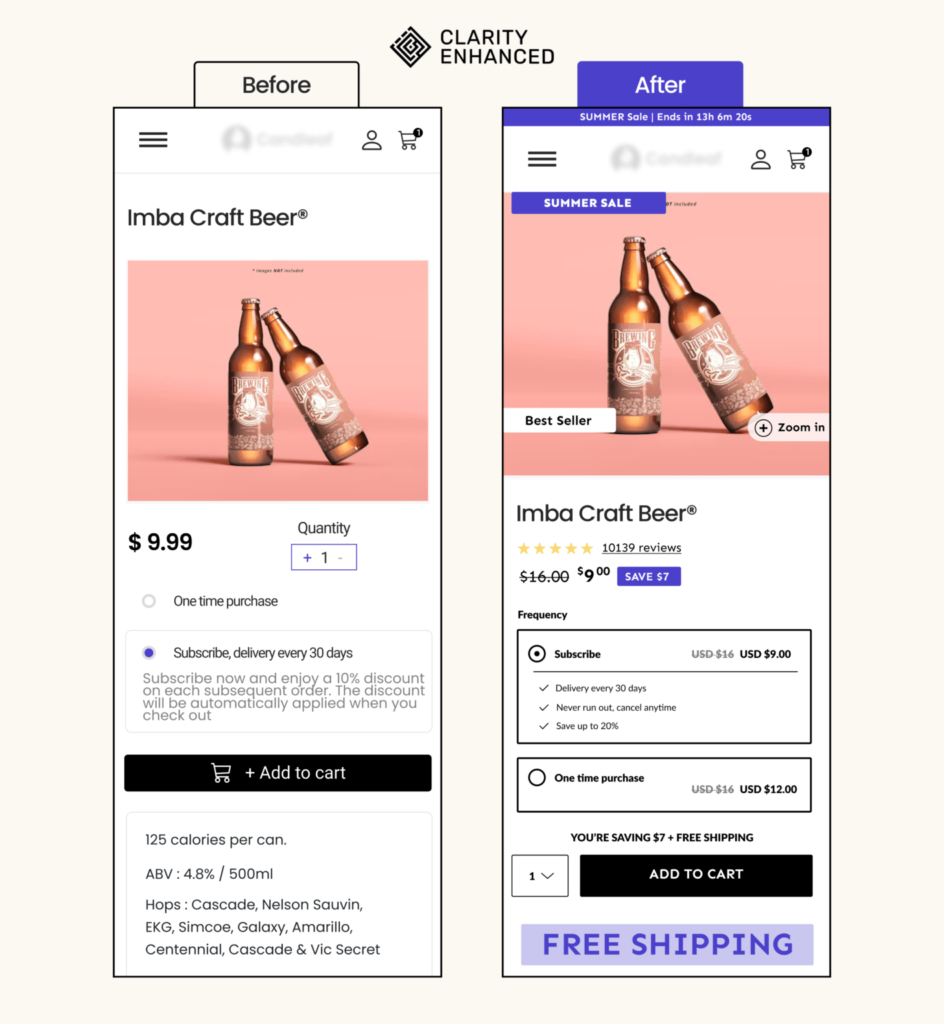
- Added a top banner. It adds contrast, attracts attention, and features the sale that will end
- Moved the product image just below the navbar. The product title is now below the image.
- On the image, we’ve added another element that attracts the eye featuring the sale, and few other elements .
- The title is the biggest typographic element that attracts the eye and explains what the product is all about.
- Added the stars and reviews widget that scrolls the page to the reviews.
- Discount pill
- Strong contrast for the subscribe / one type purchase component
- Quantity change next to the CTA
- Big free shipping component
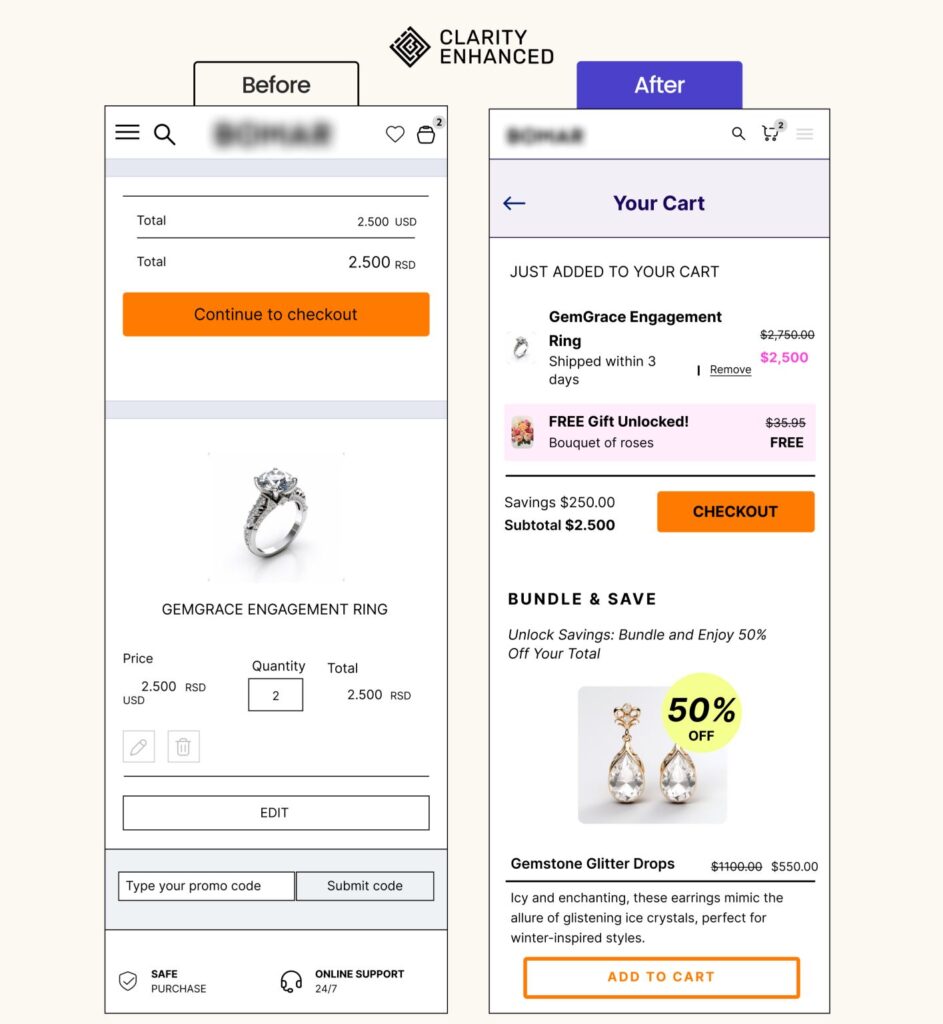
- Clearly state that the current page the user is on is “Your Cart”
- Clearly show items that are currently in the cart, highlight the savings
- Reduce the size of product image, save on screen real estate
- Remove the quantity picker for jewelry products
- Remove the option the edit the cart, just allowing users to remove the – product from the cart is enough
-Move the promo code form into the checkout
-Incentivize the purchase with a free gift
-Strong checkout button
-Offer a bundle discount on the cart page to increase AOV

- Added a top header that features free shipping
- Added a logo and cart icons that improve customer brand trust
- Added a reviews link that once clicked will scroll the page to customer reviews.
- Increased contrast by making the hero section background white. Also moved the photo of the product down
- Added bullet points that simply explain the product features and benefits
- Added a clean big call to action button and featured free shipping